App & Konnektivität:
Enjox Remote
Toys:
Kite Yami BoomPro

Für Android:

Bitte speichere deine heruntergeladene Musik im Ordner „Music“ im internen Speicher deines Handys.
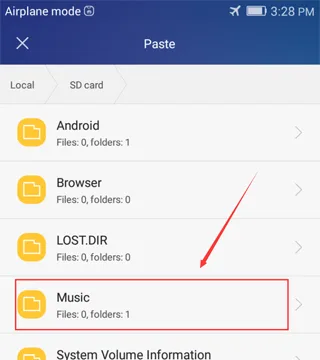
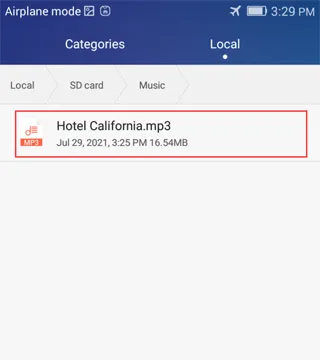
![Syncing music to an Enjox toy on Android (step 1)](/article/images/d37d58216d7d242ee12d2b373bfe5855.webp) ![Syncing music to an Enjox toy on Android (step 2)](/article/images/3ed45b66d0937d9246761bb98e724718.webp)

Musik in diesem Ordner erscheint in der App:
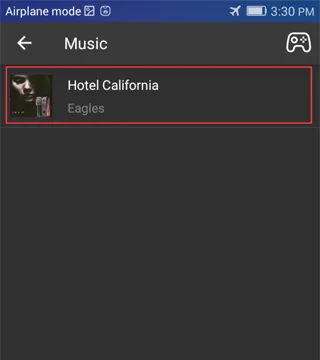
![Synced music folder shown in the Enjox Remote app on Android (step 3)](/article/images/73f55595ab971fe76a323660eedb864e.webp)

Für iPhone:

  1. Melde dich bei iTunes an und verbinde dein Handy.
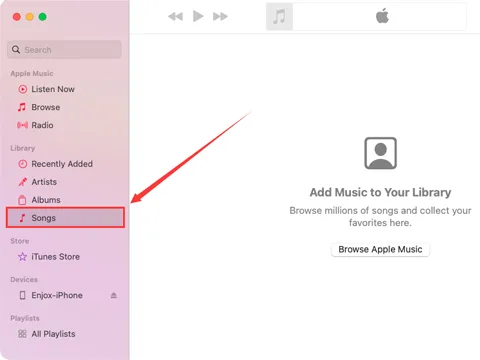
![Connecting an iPhone to iTunes to sync music (step 1)](/article/images/daa25b3168ed432c7a68fd39edb94b8a.webp)
  1. Ziehe deine gesamte Musik in den Ordner „Songs“.
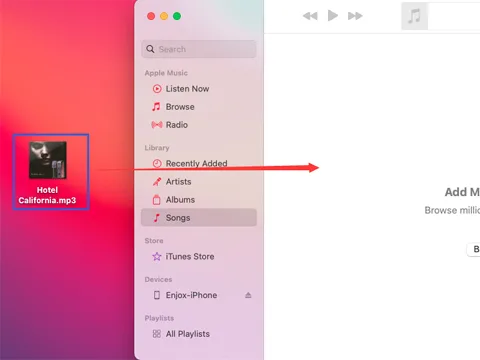
![Dragging music into the iTunes Songs folder (step 2)](/article/images/8103aea72e174712b70b43ffc4218a25.webp)
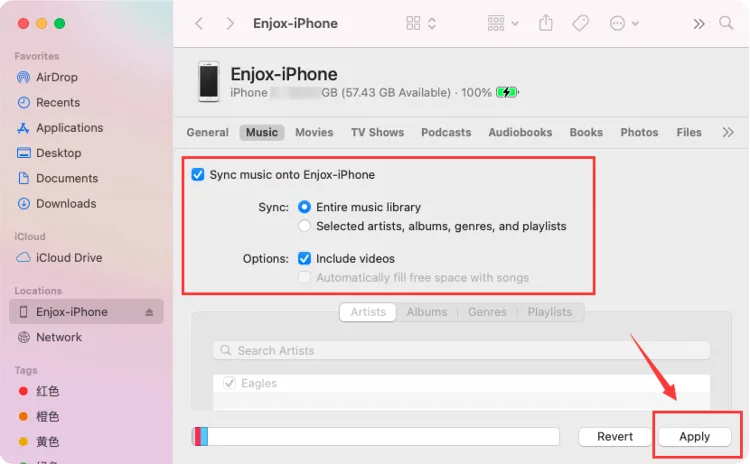
  1. Gehe zum Bereich „Music“ und tippe auf „Sync Music“. Damit wird deine Musik mit der App „Music“ auf deinem Handy synchronisiert.
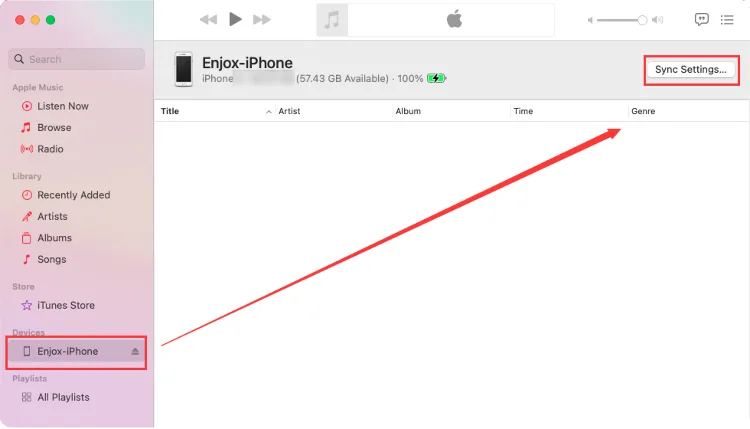
![Syncing music to an iPhone for Enjox (step 3)](/article/images/e2e67eb85e96d3f170a03df226ec5abe.webp) ![Syncing music to an iPhone for Enjox (step 4)](/article/images/dd74b96f8dd79afcd9300fa0c63054e5.webp)
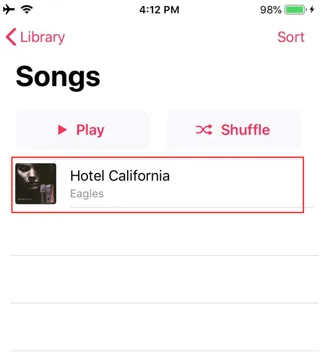
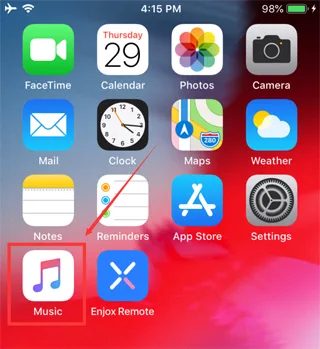
  1. Öffne die App „Music“ auf deinem Handy. Du siehst die Musik, die von deinem iTunes-Konto synchronisiert wurde. Wenn ein Download-Symbol vorhanden ist, tippe darauf (für die Songs, die in unserer App erscheinen sollen).
![Syncing music to an iPhone for Enjox (step 5)](/article/images/49839e37f86f10f42e40f0cb03e29330.webp) ![Syncing music to an iPhone for Enjox (step 6)](/article/images/3185419e8b532ce602f1f2d25bbe0e9a.webp)
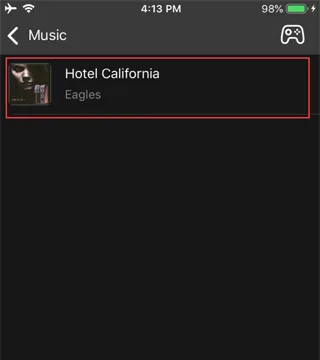
  1. Öffne die Enjox Remote App. Du siehst die Musik, die du heruntergeladen hast.
![Downloaded music shown in the Enjox Remote app on iPhone (step 7)](/article/images/215158fe048147ddd2c3460cba150439.webp)

Our site uses cookies. By continuing to use our site, you agree to the use of cookies. For more information about the use of cookies on our website, please see our Cookie Policy.